If you work in HR, you know the list by heart.
What’s my deductible? Is my doctor in-network? What’s the difference between the PPO and the HDHP? How do I add a dependent? When does my coverage start? What’s an out-of-pocket maximum? How do I use my FSA?
The same ten questions, in slightly different forms, landing in the same inbox, hundreds of times a year. Most HR benefits tickets are variations on questions like these. They’re not complicated questions. They’re just questions that employees have no good way to answer on their own, so they ask HR.
The good news is that this problem is solvable. Not by hiring more HR staff. By answering these questions once, well, and making those answers findable.
Why the same questions keep coming
Before getting to solutions, it helps to understand why this happens in the first place.
Most benefits information lives in a PDF. The average benefits guide runs 40 to 60 pages, written in insurance-industry language by people who understand insurance, and distributed once a year via email attachment. Employees don’t read it. Not because they’re disengaged, but because it’s a genuinely hard document to extract a useful answer from.
When an employee needs to know their deductible, they have a few options. They can dig through the PDF and hope they can identify the right number in a table that looks similar to three other tables. They can log into the carrier portal, if they remember the password. They can ask a colleague who seems to know about benefits. Or they can email HR.
Most people email HR. It’s the path of least resistance to a trustworthy answer.
The fix isn’t to make employees try harder. The fix is to make the right answer easier to find than sending an email.
The ten questions worth solving first
Before you build anything, identify the specific questions flooding your inbox. Every organization has its own version of the list, but most HR teams will recognize most of these:
- What’s my deductible, and have I met it?
- Is [specific doctor or hospital] in-network?
- What’s my copay for a primary care visit versus a specialist?
- What’s the difference between the health plans we offer?
- How does an HSA work, and can I use it for [specific expense]?
- How do I add or remove a dependent from my coverage?
- When does my coverage start if I’m a new employee?
- What does my dental plan cover, and up to what amount?
- How do I file a claim, or why was my claim denied?
- What’s an out-of-pocket maximum, and when does it reset?
Pull your actual inbox data if you can. The questions with the highest volume are the ones to prioritize. Answering the top five well will account for the majority of your repeat ticket volume.
What “answering well” actually means
This is the part that matters most, and it’s where most organizations get it wrong.
Answering well doesn’t mean writing a longer FAQ page. It means making the right answer available in the moment an employee needs it, in language they can understand, in a format they’ll actually engage with.
Three things have to be true for an answer to work:
It has to be accurate. This sounds obvious, but a lot of benefits FAQ content is outdated, generic, or written at the wrong level of specificity. “Your deductible may vary by plan” is not a useful answer. “Your individual deductible is $1,500 for in-network care under the PPO” is. Accuracy means specificity, and specificity requires pulling from your actual plan documents.
It has to be findable. An answer that’s buried in a 60-page PDF isn’t findable. An answer that requires a portal login, a password reset, and three clicks to locate isn’t findable either. The answer needs to be accessible in under thirty seconds, ideally from a phone, ideally without any friction between the question and the response.
It has to be in plain language. Most employees don’t know what “coinsurance” means or how “accumulators” work. Benefits content written in insurance terminology answers the question for people who already know the answer and confuses everyone else. Plain language means the words a person would use to explain the concept to a friend who asked.
When an answer meets all three of those criteria, it actually reduces tickets. When it only meets one or two, employees read it, don’t fully trust it, and email HR anyway.
The three tools that make the biggest difference
A plain-language benefits guide or hub. The PDF isn’t going away, but it doesn’t have to be the primary way employees access their benefits information. A well-built benefits hub (a mobile-friendly page that presents the most important information in plain language, organized by the questions employees actually ask) changes the experience meaningfully.
The key is that it’s built from your actual plan documents, not generic benefits content. “Your PPO deductible is $1,500 individual, $3,000 family” is a useful answer. “Deductibles vary by plan; check your benefits guide” sends the employee right back where they started.
A source-grounded AI assistant. A well-built benefits AI assistant handles the long tail of benefits questions that a static FAQ page can’t anticipate. The important word is source-grounded: the assistant answers only from your approved plan documents, cites the source of each answer, and says so when it doesn’t know rather than generating a plausible guess.
This matters a lot in benefits. An AI assistant that answers from general knowledge about how benefits typically work can give a confident wrong answer about your specific plan. One that’s bounded to your documents gives the same answer HR would give, drawn from the same source HR would check.
The impact on ticket volume is real. When employees can get an accurate, specific answer to “what’s my deductible” at 9pm from their phone, they stop sending that question to HR.
A clear escalation path. The goal isn’t to route everything through self-service. Some questions genuinely need a person. A dependent enrollment issue with a specific effective date, a complex claim dispute, or a life event with multiple coverage implications: these are questions where a human conversation is the right answer.
The self-service layer handles the FAQ volume. The escalation path handles the rest. The important thing is that the transition is clean: an employee who can’t find the answer should know exactly who to contact, and that contact should have context about what the employee already tried.
How to measure whether it’s working
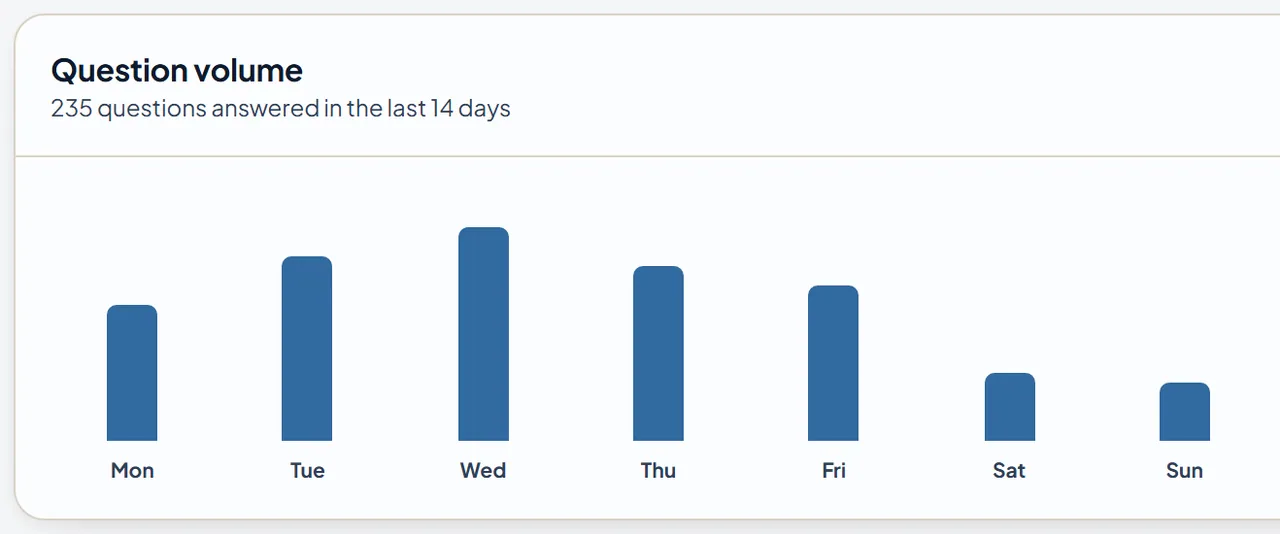
You can’t improve what you don’t measure. Before you make any changes, capture a baseline.
Count the benefits tickets your team handles in a typical month, and categorize them by question type. You’ll likely find that a small number of question categories account for the majority of volume. Those are your targets.
After you’ve implemented changes, give it one full quarter and then pull the same numbers. Look at the volume in those specific categories. Look at the time-to-resolution on the tickets that do come in. Look at whether the questions escalating to HR are more complex than the ones you were fielding before.
A meaningful reduction in repeat benefits tickets is achievable for most organizations that implement a well-built self-service layer. How much depends on how well the self-service content matches what employees are actually asking.
A practical starting point
If this all feels like a big lift, start smaller.
Pick your top three questions by volume. Write a clean, plain-language answer to each one, specific to your actual plan. Publish those three answers somewhere employees can find them quickly: your intranet, a pinned Slack message, or an HR page in your company wiki.
Then watch your inbox for the next few weeks. If those three questions come up less often, you’ve validated the approach. If they still come in, the issue is probably findability, not the answers themselves.
Build from there. Add more answers, improve the format, and eventually migrate to a proper benefits hub. The goal isn’t a perfect system built all at once. The goal is fewer of the same questions landing in HR’s inbox, so your team can spend its time on the work that actually requires a person.
Benefits are a significant investment for your organization. The question isn’t whether employees have access to good benefits. It’s whether they know what they have and how to use it. The ten questions that flood every HR inbox are ten opportunities to answer once, well, and get that time back.
Tobie helps HR teams reduce repeat benefits tickets with a source-grounded AI assistant and a plain-language benefits hub built from your actual plan documents. Learn more about Ask Tobie.